
Latest Version
Steve Rotter
Design
Mac
Free
6759808196
Report a Problem
More About Luminist Photo Editor
Streamlined RAW Editing on macOS
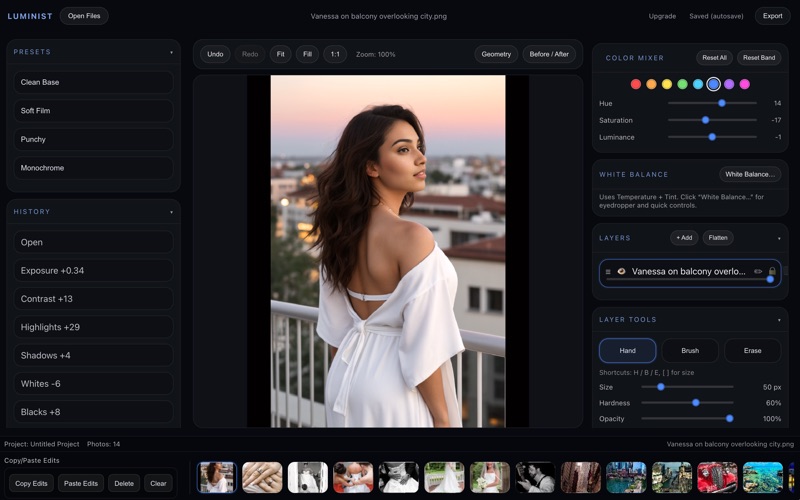
The Luminist Photo Editor offers Mac users a refreshing alternative to bloated, subscription-heavy creative suites. By stripping away unnecessary complexity, developer Steve Rotter has engineered a fast, responsive workspace that prioritizes your photography. Whether you are managing a massive library or fine-tuning a single masterpiece, this application delivers professional-grade control through an elegant, distraction-free interface.
Core Capabilities of Luminist Photo Editor
Despite its lightweight footprint, this utility packs a robust set of features designed to handle demanding editing workflows:
- Native RAW Support: Import and process uncompressed data directly from your camera sensor for maximum dynamic range.
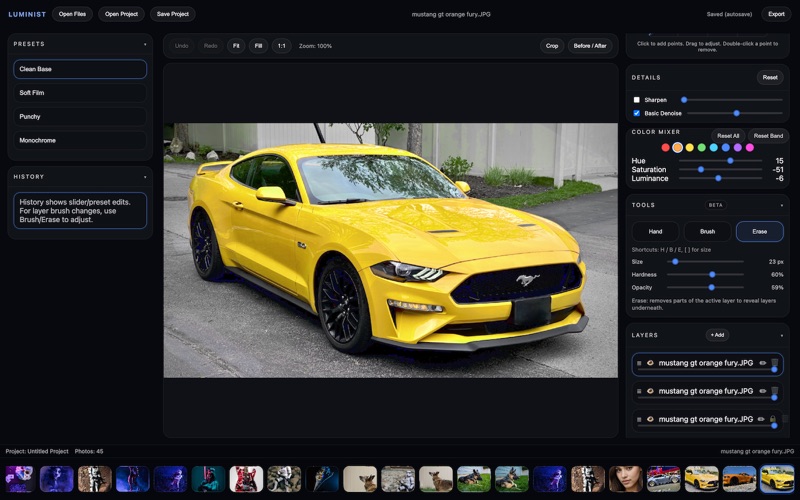
- Layer-Based Editing: Build non-destructive compositions and manage complex adjustments with flexible layer stacking.
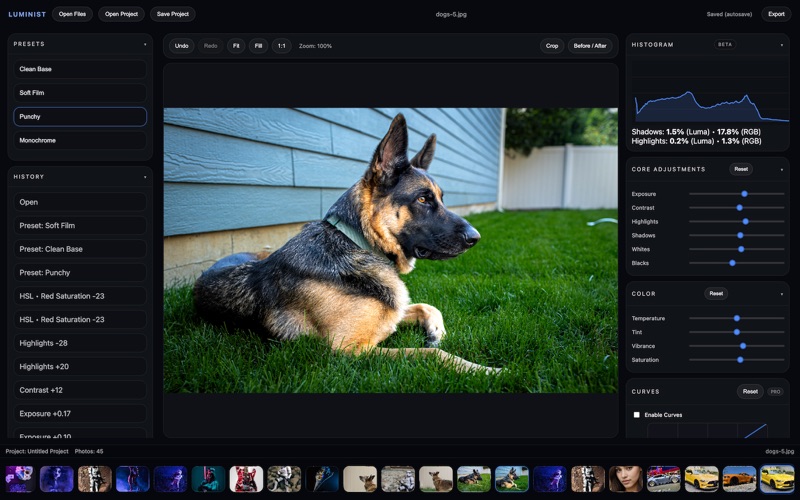
- Precise Color and Tone Control: Fine-tune your images using advanced curves, a dedicated histogram, and a targeted Color Mixer.
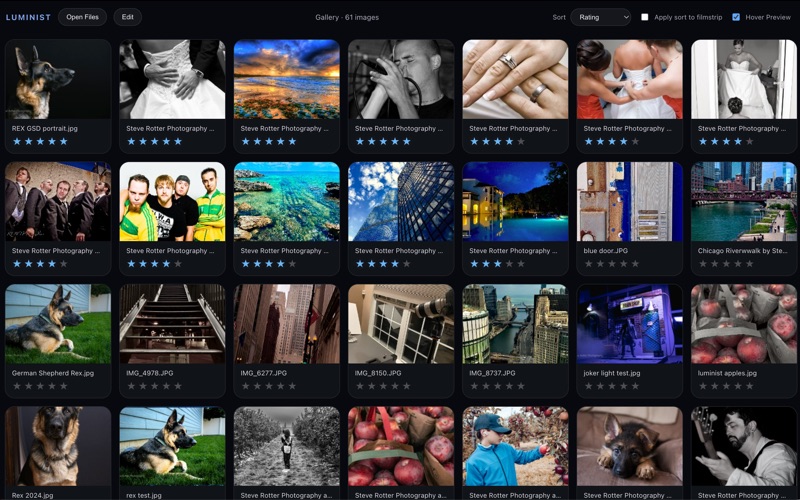
- Efficient Asset Management: Browse your collection with a spacious gallery view, apply star ratings, and sort your filmstrip dynamically.
- Zero Subscriptions: Enjoy a clean, local-first workflow with an optional one-time purchase to unlock premium capabilities.
Who Is This Mac Design Tool For?
The Luminist Photo Editor is tailor-made for photographers and digital designers who value local data privacy and speed. Because it saves projects locally and requires no cloud-based subscriptions, it is an exceptional choice for professionals working on the go. The intuitive layout makes it accessible to enthusiasts, while the inclusion of curves, layers, and RAW handling satisfies the requirements of seasoned creatives.
Local Sovereignty and Seamless Exporting
One of the standout design philosophies behind the Luminist Photo Editor is its commitment to your local storage. You choose exactly where your files live, how they are organized, and how they are exported. When your project is complete, the export menu grants you full control over image quality, file format, and resolution, ensuring your final output is optimized for print or digital publishing.
Our Verdict
If you are tired of monthly software fees and overly complicated menus, this software is a breath of fresh air for the macOS platform. It successfully balances simplicity with deep technical capability. To explore its features firsthand and elevate your photography workflow, head over to the official Mac App Store to get started.
Rate the App
User Reviews







Popular Apps










Editor's Choice